AI Development
AI Development for Business: Where It Actually Pays Off (and Where It Doesn't)
Everyone is being told to 'add AI'. Very few are being told where it actually makes money. Here's a clear-eyed guide to the AI projects that pay off — and the ones that quietly burn budget.


Every software vendor now has "AI" on the homepage. Every board meeting has a slide about it. And every business owner we speak to asks some version of the same question: "We know we should be doing something with AI — but what, exactly?"
It's the right question. Because while AI can genuinely transform how a business operates, a lot of AI projects never make it past the demo. They impress in a meeting, then quietly get switched off three months later because nobody could explain what problem they were solving.
This guide is about the other kind: AI that earns its keep.
Start with the problem, not the technology
The single best predictor of an AI project's success is whether it started with a specific, painful, measurable business problem.
- ❌ "We want an AI chatbot."
- ✅ "Our support team spends 60% of its time answering the same 30 questions, and customers wait four hours for a reply."
The second version tells you what to build, who benefits, and how to measure success. The first one is a solution looking for a problem.
A useful test: if you can't describe the outcome as a number that should go up or down — response time, hours per week, conversion rate, error rate — you're not ready to build yet.
Six AI use cases with real ROI
These are the areas where we consistently see AI pay for itself, across industries.
1. Customer support assistants
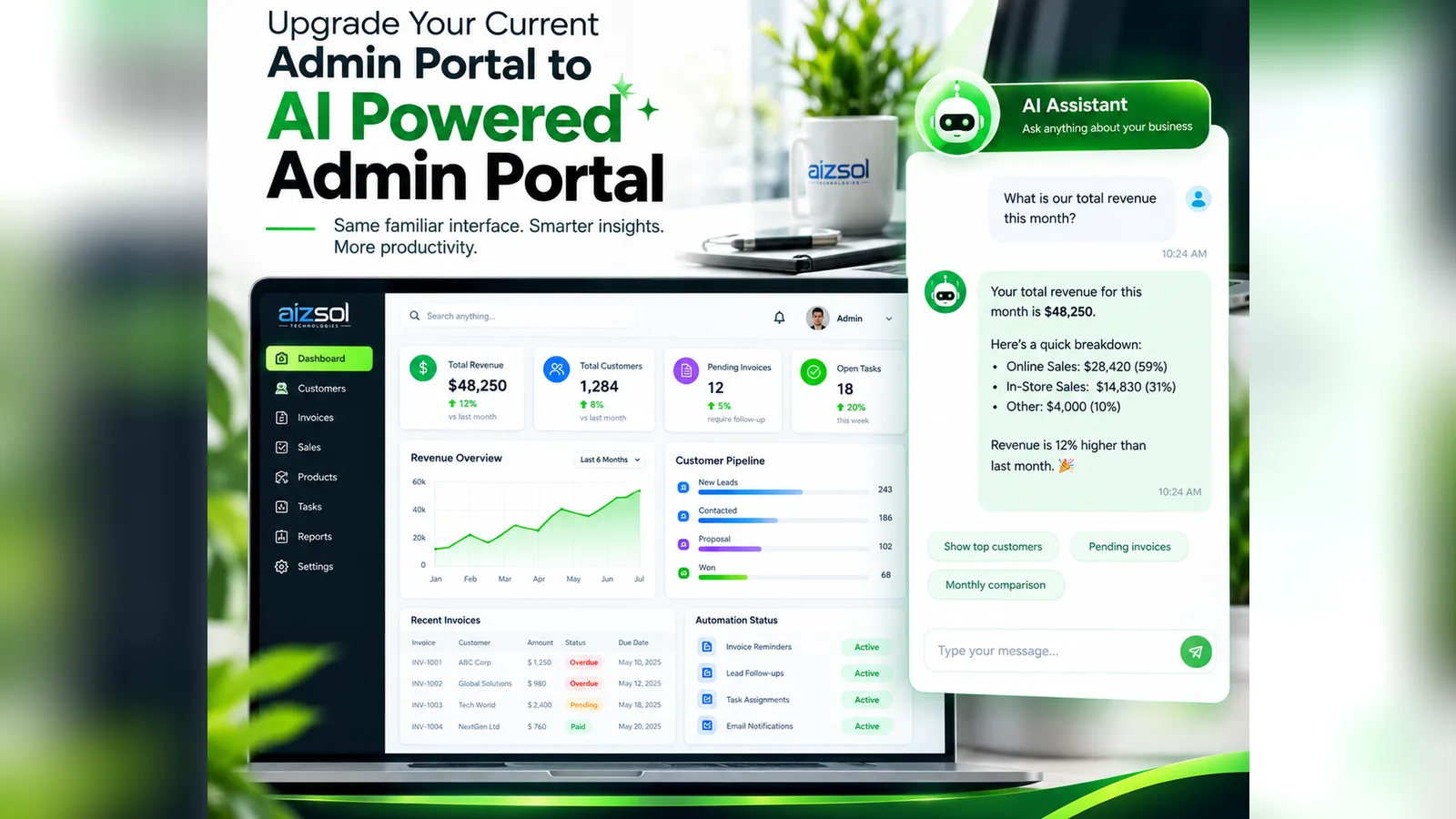
An AI assistant trained on your help articles, policies and product data can answer the repetitive questions instantly, 24/7, and hand off to a human — with full context — when it's out of its depth. Done well, it reduces ticket volume and response times without making customers feel stonewalled.
The key word is your data. A generic chatbot that makes things up is worse than no chatbot at all. Grounding the model in your own verified content (a technique known as retrieval-augmented generation, or RAG) is what makes it trustworthy.
2. Document processing
Invoices, purchase orders, contracts, applications, CVs, insurance claims — most businesses drown in documents that someone reads and re-types into another system. AI can now extract the relevant fields with high accuracy, flag anything unusual, and push clean data into your workflow, with a human reviewing only the exceptions.
3. Sales and lead intelligence
AI can score and prioritise incoming leads, research companies before a call, summarise sales conversations, and draft personalized follow-ups. Your salespeople spend less time on admin and more time talking to the prospects most likely to buy.
4. Internal knowledge search
"Where's the latest version of the pricing policy?" "How did we handle this for the last client?" An AI search layer over your documents, wikis and tickets lets staff ask questions in plain English and get sourced answers in seconds — especially valuable for onboarding new team members.
5. Forecasting and anomaly detection
Predicting demand, spotting unusual transactions, flagging customers likely to churn. These are classic machine-learning problems, and with clean historical data they can deliver very tangible returns in inventory, fraud prevention and retention.
6. Content and operations copilots
Drafting product descriptions, proposals, reports and social posts; turning meeting recordings into action items; translating content for new markets. AI as a first draft engine, with a human editor, can multiply a small team's output.
Where AI usually doesn't pay off (yet)
Being honest about limits saves money:
- Fully autonomous decisions in high-stakes areas. Legal, medical, financial and hiring decisions should keep a human firmly in the loop.
- Problems with no data. AI learns from examples. If the process has never been recorded, you'll need to capture data first.
- Tiny volumes. Automating a task that happens twice a month rarely justifies the build.
- "AI for the press release." Features added so the product can say "AI-powered" tend to cost more to maintain than they return.
Build vs buy vs customize
You have three broad options:
| Approach | Best for | Trade-off |
|---|---|---|
| Buy an off-the-shelf AI tool | Common needs (meeting notes, writing help, generic chat) | Fast and cheap, but not tailored to your data or workflow |
| Customise a foundation model | Most business use cases — support, documents, search, copilots | Your data and rules, built on proven models, with sensible cost |
| Build a model from scratch | Highly specialised problems with large proprietary datasets | Most expensive and slowest; rarely necessary |
For the vast majority of businesses, the sweet spot is the middle row: a strong foundation model, connected securely to your own data and systems, wrapped in an interface and workflow designed around your team.
What does an AI project cost?
It varies widely, but it helps to think in three phases:
- Discovery and prototype — define the problem, check the data, and build a working proof of concept against real examples. This is where you find out cheaply whether the idea works.
- Production build — integrations, security, user interface, monitoring, testing against edge cases and human-review workflows.
- Running costs — model usage (often priced per volume of text processed), hosting, and ongoing improvement.
The prototype phase is the most important money you'll spend. It's far cheaper to learn that an idea won't work in two weeks than in six months.
Data privacy and security: questions to ask
Before any of your data touches an AI system, get clear answers to:
- Where is our data processed and stored, and in which country?
- Is our data used to train the provider's models? (For business use, the answer should be no.)
- Who at our company — and at the vendor — can see prompts and outputs?
- How are personal details handled, and does it align with GDPR or local regulations?
- What happens when the AI is wrong, and how do we find out?
A good development partner will raise these questions before you do.
How to measure success
Decide your metrics before you build, and measure a baseline. Typical ones:
- Hours saved per week
- Response or turnaround time
- Accuracy / error rate versus the manual process
- Tickets deflected or resolved without escalation
- Conversion rate or revenue influenced
- User adoption — are people actually using it?
That last one matters more than most people think. The most accurate AI in the world is worthless if the team doesn't trust it or finds it awkward to use. Design for adoption from day one.
The winning pattern: AI plus automation plus people
The AI systems that last aren't magic boxes. They're a combination of three things:
- AI for the messy, unstructured parts — understanding text, documents and intent.
- Automation for the predictable parts — moving data, triggering actions, updating systems. (See our guide on business automation.)
- People for judgement, relationships and approval of anything that matters.
Get that balance right and AI stops being a buzzword and starts being one of the most productive "team members" you have.
Ready to find your first AI win?
The best first step is small: pick one painful, measurable problem and prototype a solution against your real data.
Our AI development team helps businesses do exactly that — from identifying the right use case to building secure, production-ready AI tools that plug into the systems you already use. Tell us about the problem you'd like to solve, and we'll tell you honestly whether AI is the right answer.
Founder of Aizsol Technologies. Shazaib and the team build web platforms, mobile apps, AI tools and automation for businesses across the US, UK, Europe and the Middle East.